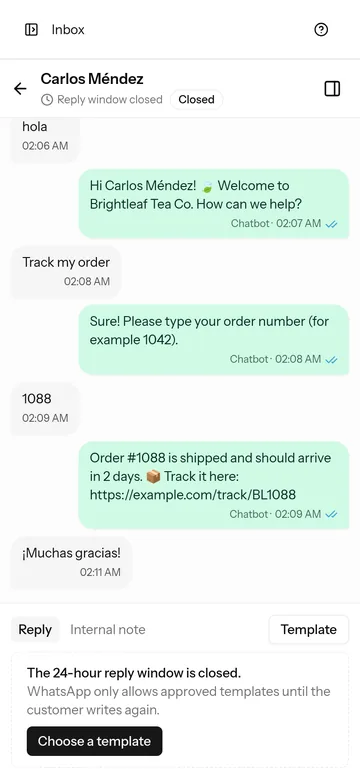
Team inbox
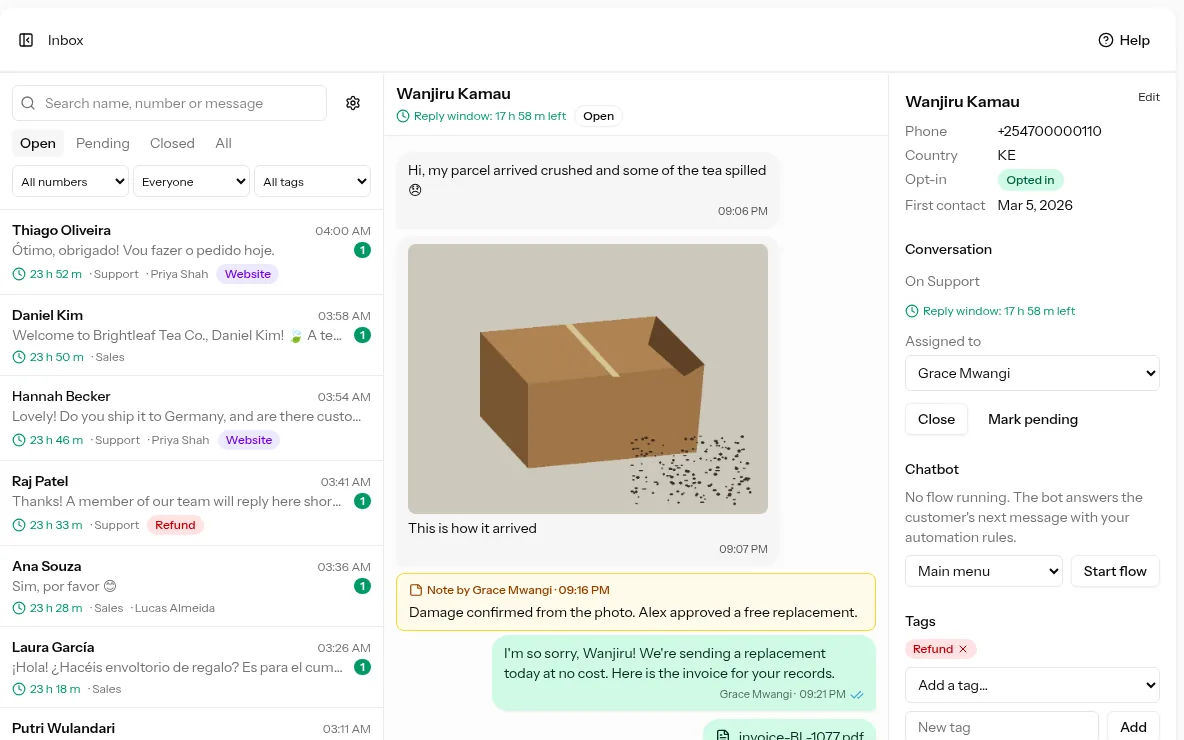
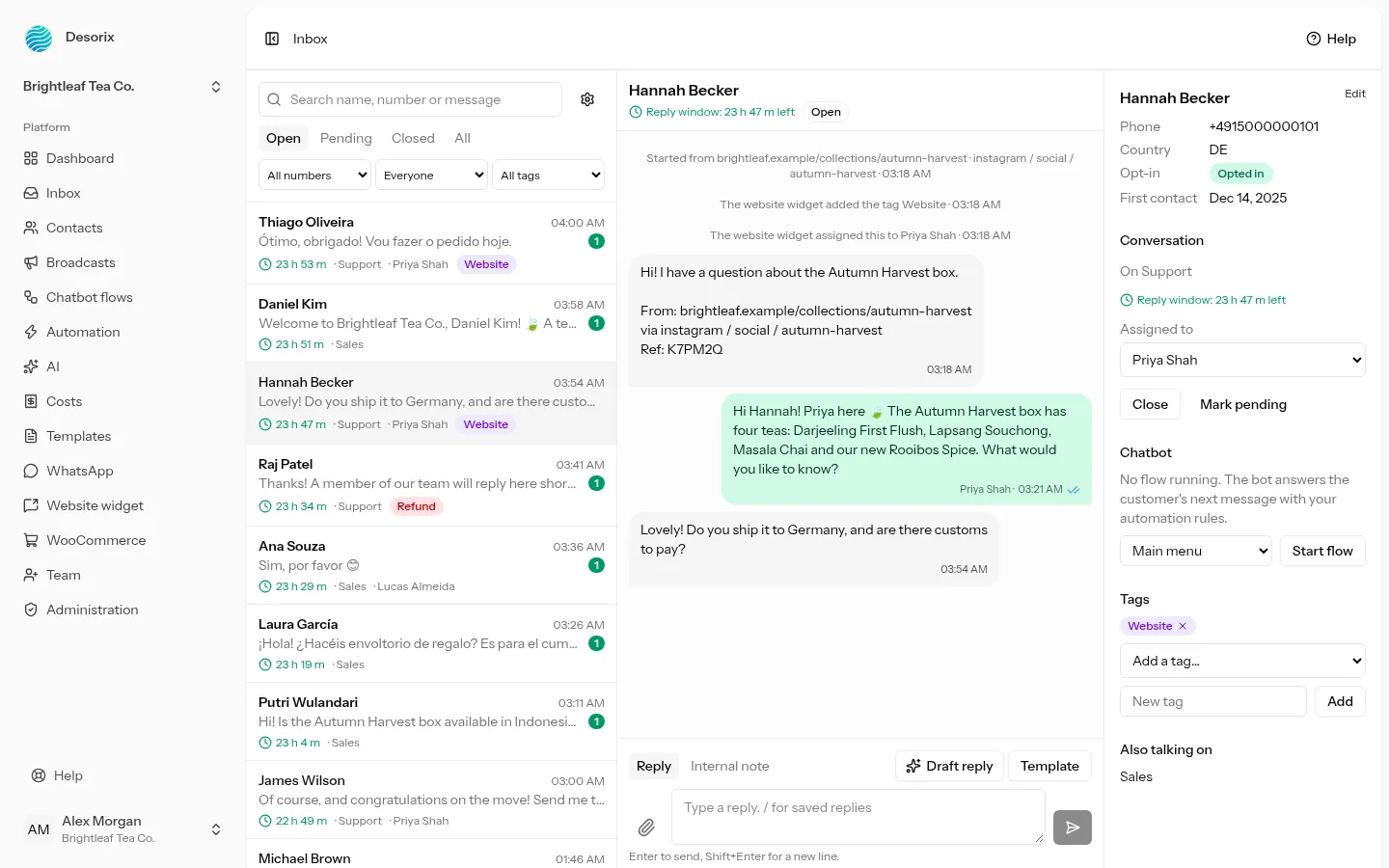
Every chat on every number in one list. Assign conversations, add internal notes and tags, and send saved replies, photos and documents. The 24-hour reply window counts down, and Desorix switches to approved templates once it closes.
Built on the official WhatsApp Cloud API
Desorix is a shared inbox, broadcast tool, chatbot builder and AI assistant for WhatsApp Business that runs on your own hosting and shows you what every message costs.
Demo login: admin@desorix.test / password. It resets every night.
The problem
WhatsApp is where your customers ask about prices, stock and orders. For most businesses, those chats live on a single handset with the WhatsApp Business app, and the business can only answer while that phone is in someone's hand.
Three staff, one handset. Whoever has the phone answers; everyone else waits, or forwards screenshots.
"Did anyone reply to the woman asking about the blue one?" The only way to find out is to scroll back and hope.
When the person with the phone is off sick or on holiday, their conversations, and the customers in them, go quiet.
Meta bills per delivered message, at a different rate per category and country. The invoice arrives and nobody can say which broadcast ran it up.
How it works
Upload the zip to ordinary cPanel hosting or a VPS and follow the web installer. PHP, MySQL and one cron job: no SSH, Node.js or Redis.
A guided wizard walks you through each screen in Meta's dashboard, then tests the connection and tells you exactly what to fix if something's wrong.
Add agents with their own logins and roles. Turn on welcome and away messages, keyword replies, a chatbot flow or AI auto-reply.
Every chat lands in the shared inbox. The bot handles the routine questions, and hands the rest to a person with the whole conversation in front of them.
What it does
No roadmap promises: this is what's in the box today.
Every chat on every number in one list. Assign conversations, add internal notes and tags, and send saved replies, photos and documents. The 24-hour reply window counts down, and Desorix switches to approved templates once it closes.
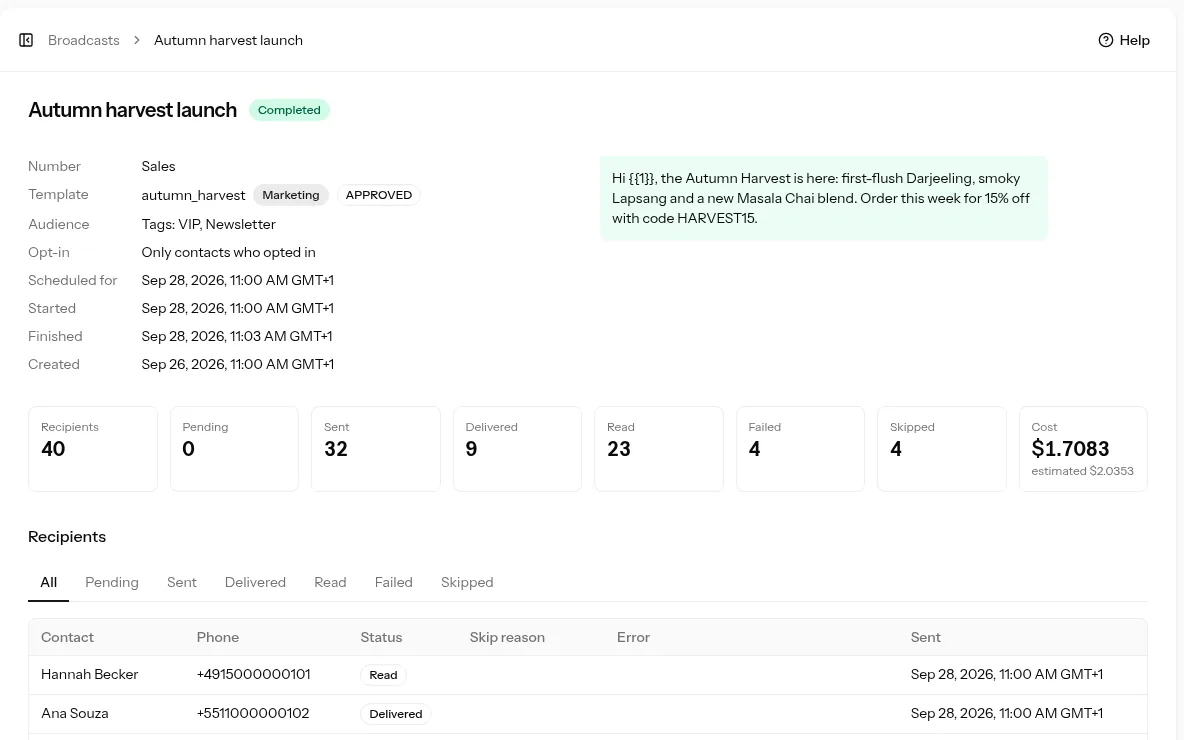
Send an approved template to a segment or tags, now or scheduled, paced to your messaging limit. See each recipient's status and the actual cost against the estimate.
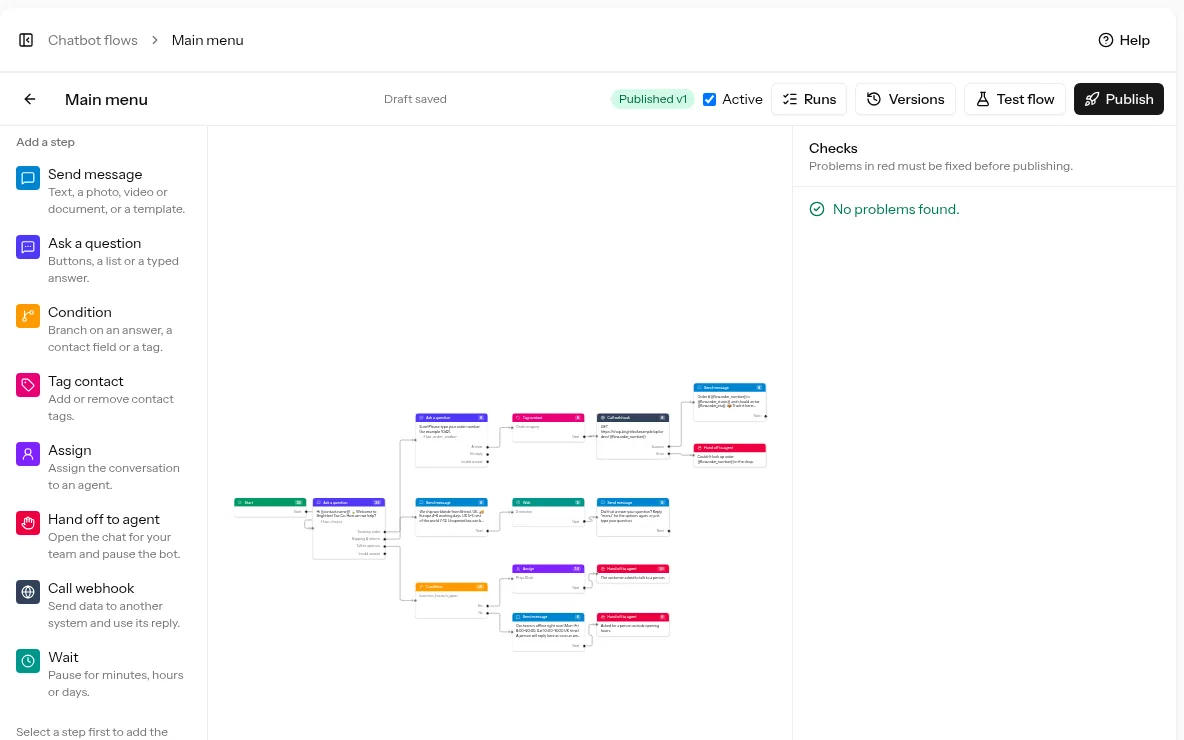
Drag-and-drop flows with buttons, lists, conditions, tags, assignment, hand-over to a person, webhook calls and waits. Checked for problems before you publish.
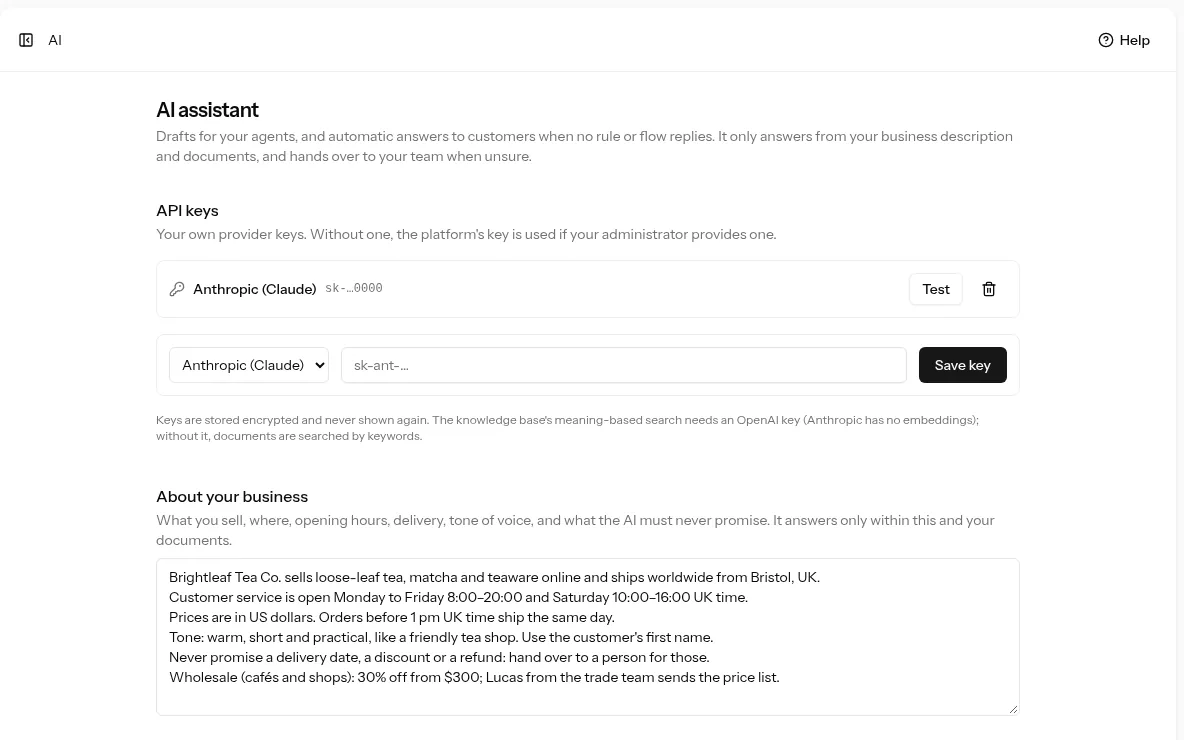
Drafts for agents to review, or auto-replies with a confidence threshold that hand over to a person when unsure. Answers from your own documents, with your own Anthropic or OpenAI key. A Help button answers your own setup questions from the Desorix documentation.
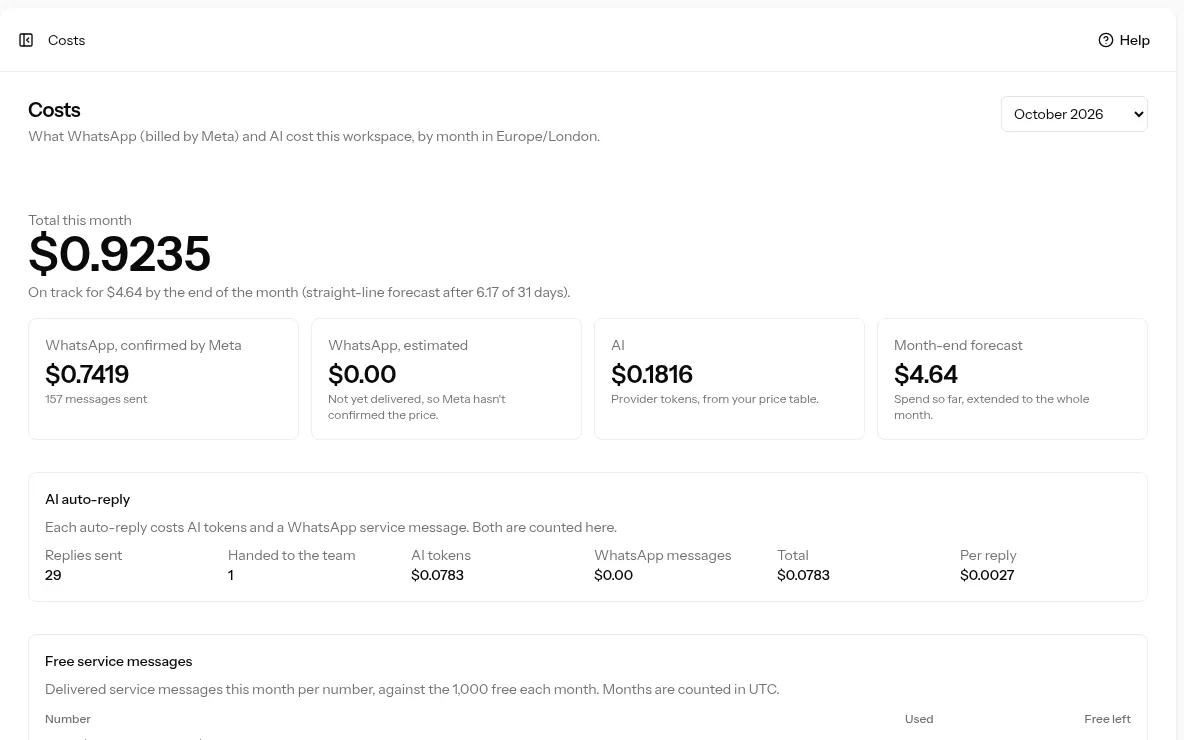
Every message recorded with Meta's category, destination country and cost. Spend by category, number, agent and broadcast, a month-end forecast and email alerts.
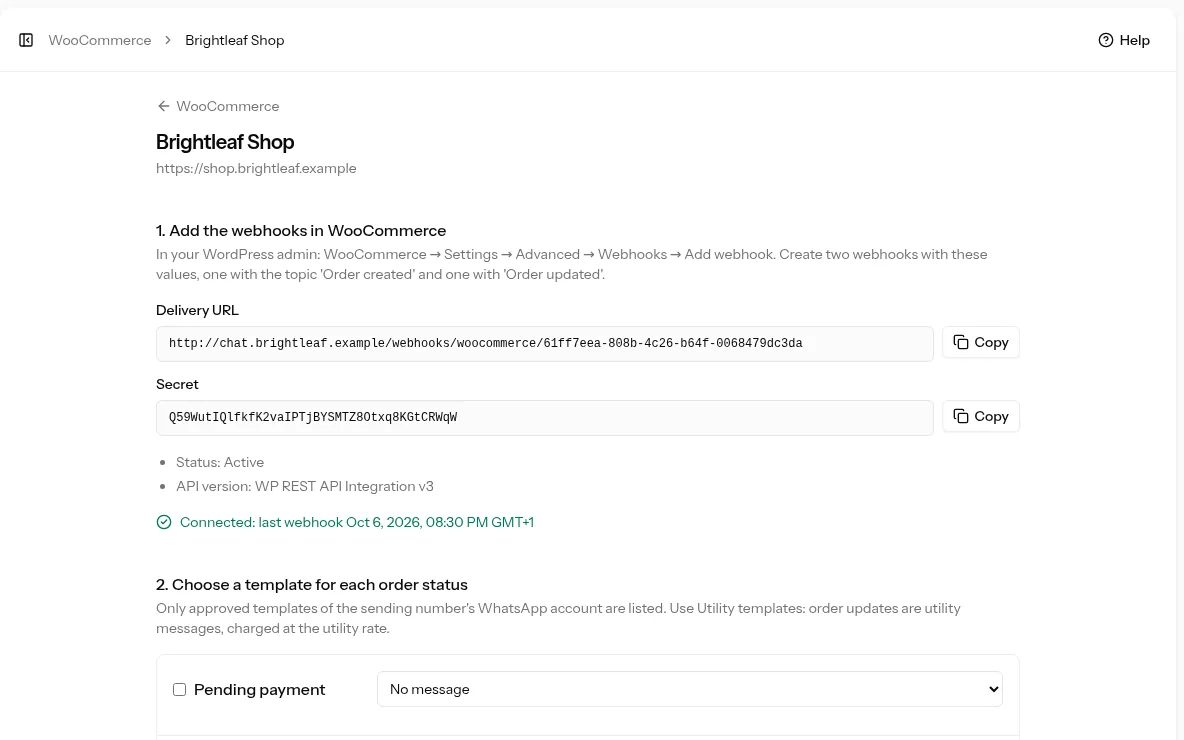
Order updates on WhatsApp when an order is processing, completed, cancelled and more, through approved utility templates filled with the order details.
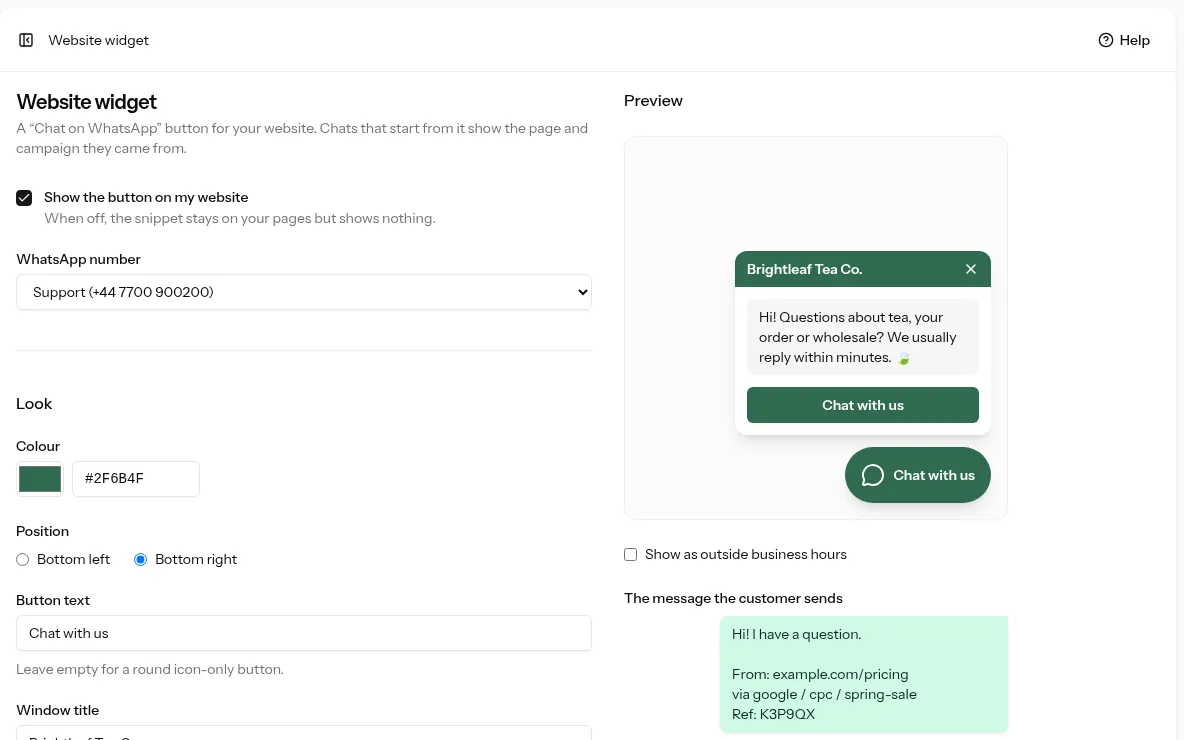
A chat button for any site, or the included WordPress plugin. Each chat arrives with the page and campaign it came from, and a Chats by source report shows which ads bring customers.
Also included: contacts with CSV import, custom fields, tags and segments · message templates created and submitted from Desorix · several numbers per workspace · owner, admin, agent and viewer roles · two-factor sign-in and passkeys · English and Arabic (right to left) · dark mode · works on phones.
Who it's for
A shop with three staff and one number. Everyone answers from their own login, chats get assigned, and nothing depends on whose turn it is to hold the phone.
Run WhatsApp for several clients from one install: a separate workspace per client, with its own numbers, team, templates and cost report.
WooCommerce order updates on WhatsApp, broadcasts for launches and restocks, and a website chat button that tells you which page and campaign every chat came from.
Clinics, salons, schools, repair shops. A chatbot collects the details, business-hours and away messages cover the evenings, and staff pick up from there.
Self-hosted, one-time licence
Desorix isn't a subscription. You buy it once, install it on hosting you already pay for, and your customers' conversations never pass through anyone else's servers.
Messages, contacts and media stay in your own database and on your own disk. Back them up, move them, or delete a contact's personal data on request (GDPR).
Add as many agents, numbers and workspaces as your hosting can carry. The price is the same for one user or fifty.
Use your own Anthropic (Claude) or OpenAI key. Nothing is bundled or marked up, and every AI reply shows what it cost.
PHP 8.3, MySQL and a cron job. One-click updates with a backup first, or upload the update zip.
Pricing
One payment, no subscription. Checkout by Paystack; your licence key arrives by email straight away.
$49
For your own business, or for one client who isn't charged for access.
$199
When you charge your own customers for access, for example by selling workspaces as a hosted service.
Each licence covers one live domain; test and staging domains are free. Support covers installation on a server that meets the requirements, connecting WhatsApp, bug fixes and questions about included features (support policy). Licence terms · 14-day refunds
The demo is a tea shop with chats, broadcasts, a chatbot flow and real cost figures. Log in as an admin or an agent, then use Simulate a customer message to watch the chatbot and AI react.